




Leaderboard



Popular Content
Showing content with the highest reputation on 10/02/20 in all areas
-
2 points
-
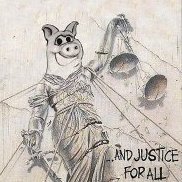
2 points2 points1 pointNajbolji američki BM album ikada. Više stvari je spakovano u taj jedan album nego što većina bendova ima u diskografiji.1 point1 point1 point1 point1 pointОвај и онај пре њега јесу срање због оног гитаристе хипстера али блекенинг је врхунски албум од тих каснијих. Чак је и онај локуст ок. Наравно све је то смејурија у поређењу са првим.1 point1 point1 point1 point1 point1 pointhttps://www.loudersound.com/news/iron-maiden-have-been-in-the-studio-and-are-gagging-and-ready-to-go1 point1 point1 point1 point1 point1 point







Account
Navigation
Search
Configure browser push notifications
Chrome (Android)
- Tap the lock icon next to the address bar.
- Tap Permissions → Notifications.
- Adjust your preference.
Chrome (Desktop)
- Click the padlock icon in the address bar.
- Select Site settings.
- Find Notifications and adjust your preference.
Safari (iOS 16.4+)
- Ensure the site is installed via Add to Home Screen.
- Open Settings App → Notifications.
- Find your app name and adjust your preference.
Safari (macOS)
- Go to Safari → Preferences.
- Click the Websites tab.
- Select Notifications in the sidebar.
- Find this website and adjust your preference.
Edge (Android)
- Tap the lock icon next to the address bar.
- Tap Permissions.
- Find Notifications and adjust your preference.
Edge (Desktop)
- Click the padlock icon in the address bar.
- Click Permissions for this site.
- Find Notifications and adjust your preference.
Firefox (Android)
- Go to Settings → Site permissions.
- Tap Notifications.
- Find this site in the list and adjust your preference.
Firefox (Desktop)
- Open Firefox Settings.
- Search for Notifications.
- Find this site in the list and adjust your preference.